 +1 234-249-1337
Extend Your Browser
By Red Siege | May 9, 2024


By Red Siege | May 9, 2024
by Ian Briley, Security Consultant
In my last blog, I discussed using only a browser for web application testing, emphasizing how useful built-in browser tools like the Inspector and Console can be for security assessments. This approach allows for a straightforward examination of web applications without relying on additional software tools. For a deeper dive into this method, check out the full blog post here.
Today I’m going to share a few web browser extensions I find useful while performing said tests.
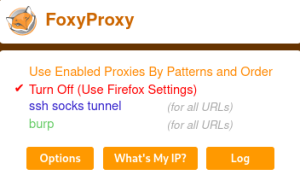
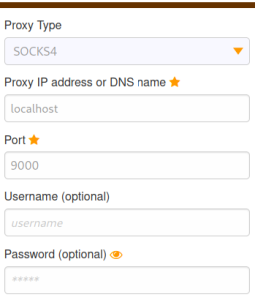
This should come as no surprise to anyone that FoxyProxy is making an appearance on this list. Even though Burp now his it’s own built-in browser to proxy all your testing traffic, I still use this extension for quick sanity checks where I can proxy all my traffic to a remote VM on the internet to confirm if I’m being blocked or throttled by a security device. Additionally, when doing internal penetration tests, this is a great web extension for proxying your traffic to a local socks proxy (e.g., via SSH to a dropbox) to reach out to an internal client network. This way I can interact with the internal web applications as how any user on that network would.
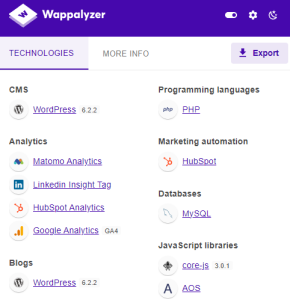
This is also a no brainer. I use this to skim data quickly about what technologies the application uses. Burp will do this too, and many other scanning tools can do this as well. I also like how this extension just gathers all the data in one spot for me to do a quick once over. I typically like to use this extension while I’m doing my initial walk through of the application. It gives me a sense of what the developer is trying to accomplish based on the information returned.
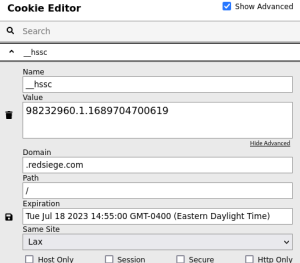
I use this extension for two reasons. The first being is I am (for better or worse) a visual creature. I tend to notice more things in the Cookie Editor provided view as opposed to looking at the 10+ cookies, one listed after another, in a text format in Burp’s really busy UI. And being able to just edit the cookies on the fly and seeing how it’ll impact the user in the browser is a huge bonus as well.
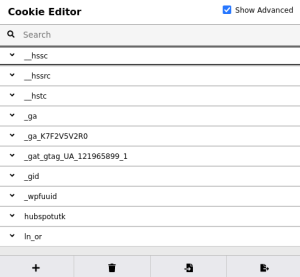
The second reason is this extension makes it so much easier to get screenshots and walk clients through any cookie manipulation techniques compared to how Burp displays the request and response. This is so much nicer to look in a report, and I think makes the screenshot clearer and easier to understand. This is also an easier sell then asking a client to download Burp to recreate the cookie changes.
This is the extension I’m most excited to put in front of people and my favorite to help organize my thoughts and help identify functional portions of the web application. A big chunk of being successful during any type of penetration test is being organized. I am a diehard champion for notecards and sticky notes. This digitizes the sticky notes.
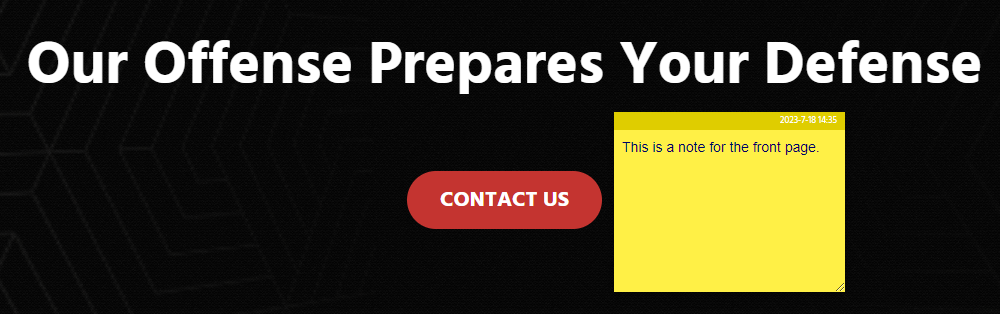
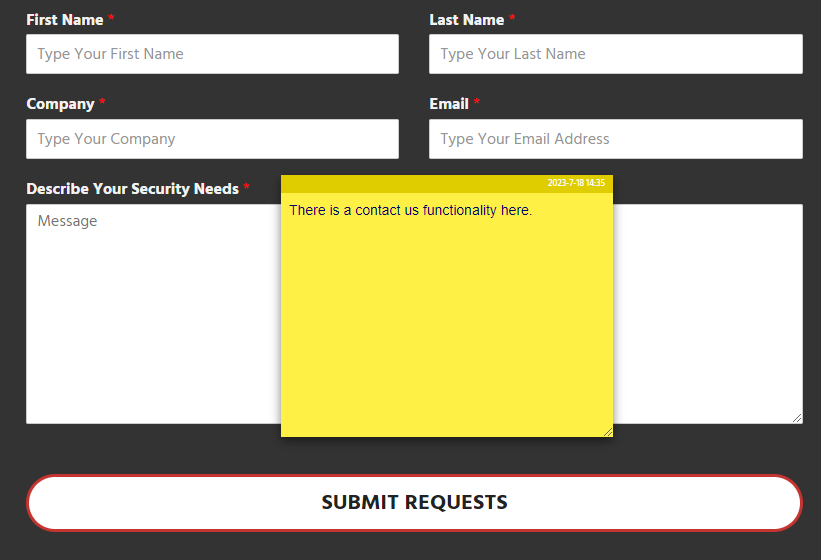
The kicker with this application is you and place sticky notes on the web applications, resize them, and change the colors. The app will remember on what page you put the sticky notes, the size and color. So I generally will walk through an application and “Sticky” note things I want to go back and check. This can be functionality, forms, input opportunities, and much more.
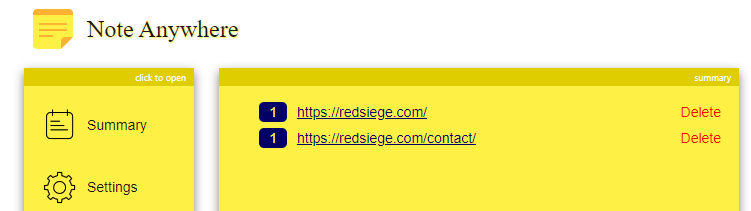
Then after I finish the initial walkthrough, I can get a summary of all my notes and go back to the portion of the web application I find interesting. My biggest gripe is this summary screen does not show my notes for that specific page without actually clicking the link to view it.
Integrating these browser extensions into your web application testing strategy can significantly streamline your security assessments. Whether it’s through FoxyProxy for versatile traffic management, Wappalyzer for a quick technology overview, or EditThisCookie for dynamic cookie manipulation, each tool brings a unique value to the table. These tools not only enhance our testing capabilities but also offer clarity and efficiency. Embrace these extensions to enrich your testing process, stay organized, and ultimately provide your clients with clear, comprehensible results. Remember, the right tools can transform a good test into a great one—empowering you to deliver more secure and robust applications. Let me know if you have any others I should be checking out in our Red Siege Offensive Community Discord.

Ian Briley has over 10 years of experience in information security consisting of The United States Armed Forces, the Healthcare industry, Security Operation Centers, and Security Consulting. Ian is an experienced presenter, trainer, developer, maker, and researcher. Ian enjoys attending local security focused groups and learning more about cloud-based environments and solutions.
Certifications:
CRTO, GWAPT, eJPT, CySA+, SSCP, SEC+
Connect on Linkedin
Related Stories
View MoreBy Red Siege | November 5, 2026
by Jason Downey This is Dig Dug. A Red Siege tool for avoiding av/edr can offer valuable solutions for penetration testers and red teamers. If you spend any amount of […]
Learn MoreBy Red Siege | October 5, 2026
by Stuart Rorer Most weeks, the tests I run are fairly routine: web applications, externals, and internals with a tight scope. But mobile application assessments have a way of getting […]
Learn MoreBy Red Siege | October 1, 2026
by Mike Saunders The AWS ReadOnlyAccess policy might be providing more access than you’re intending to grant. On a recent assessment, we observed widespread use of IAM roles with the […]
Learn More